
SAP SuccessFactors ONB 2.0 – Automatically Set Business Email as Primary on Day 1

Business Requirement
Organizations that generate business email addresses dynamically during onboarding often use business rules in SAP SuccessFactors to derive the official corporate email and pass it to Employee Central.
Until the employee’s hire date (Day 1), the candidate’s personal email address remains primary because onboarding notifications and pending tasks continue to rely on personal communication channels. And derived business email is non primary.
On the hire date, the onboarding candidate transitions into an active employee, and corporate authentication begins through Single Sign-On (SSO). Since access to enterprise applications such as intranet, payroll, and SuccessFactors depends on the business email address, the system must automatically switch email priorities:
- Set Business Email as Primary
- Set Personal Email as Non-Primary
This ensures seamless system access and correct downstream identity authentication from Day 1 onward.
Solution Architecture
The solution uses two layers:
- Business Rule
- Integration Center Scheduled Job
High Level Process Flow
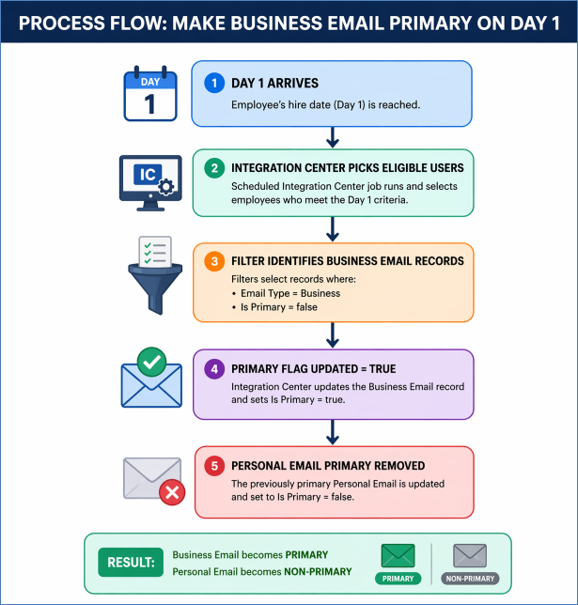
Step 1 — Create Business Rule Logic
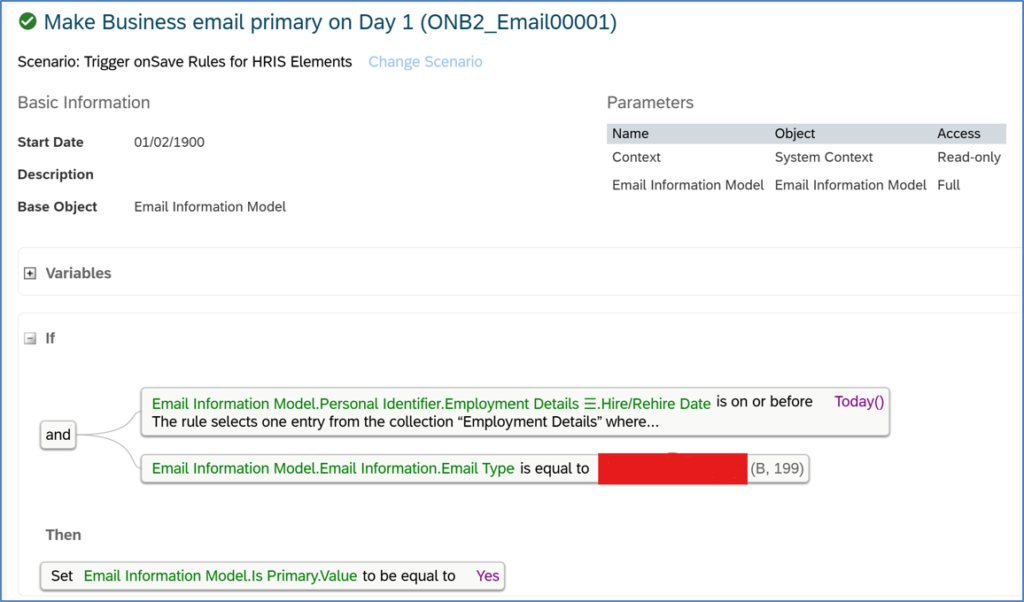
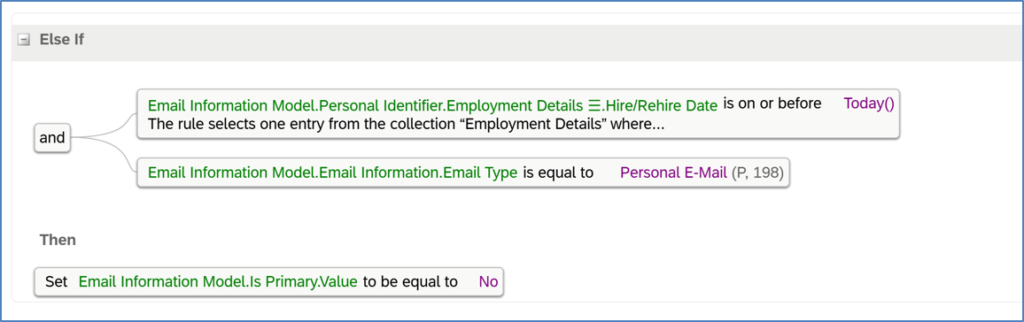
This business rule is key in switching the business email address primary and personal email address as non primary.
Admin Center → Configure Business Rules à Create below business rule and assign it under email HRIS element
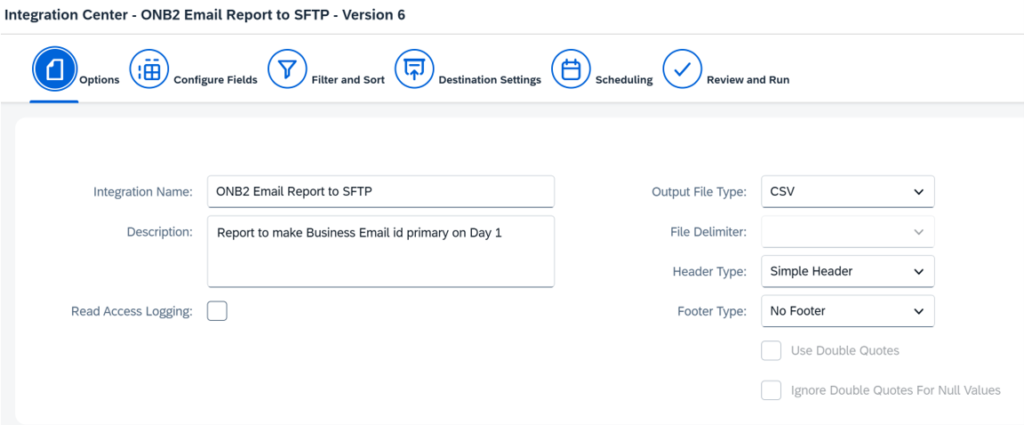
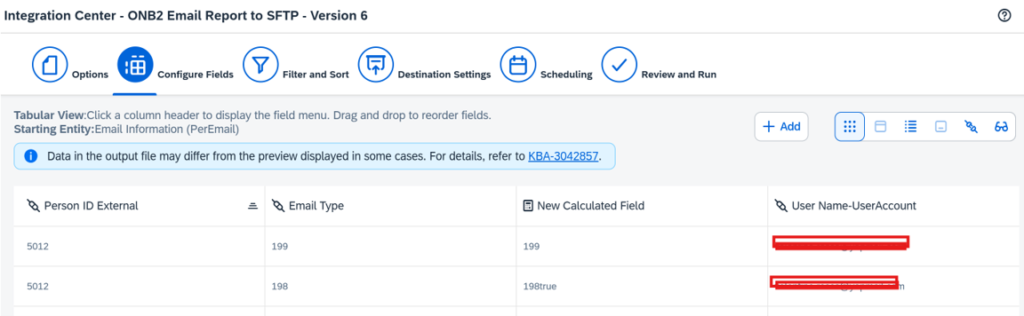
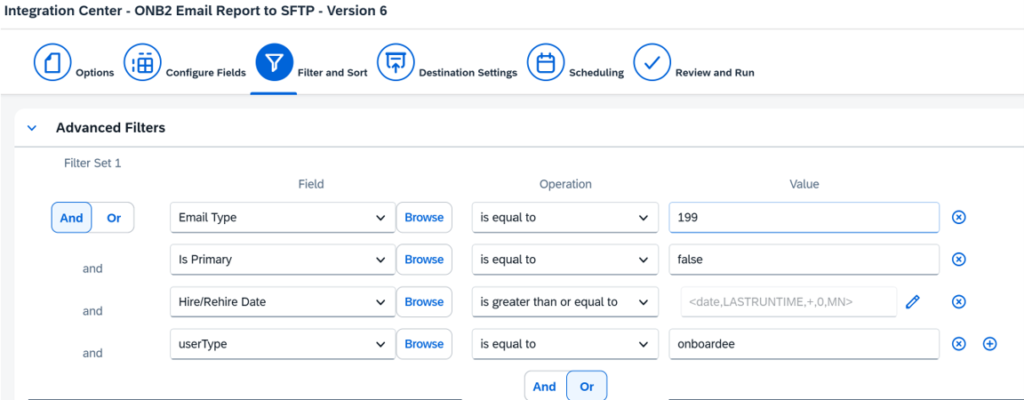
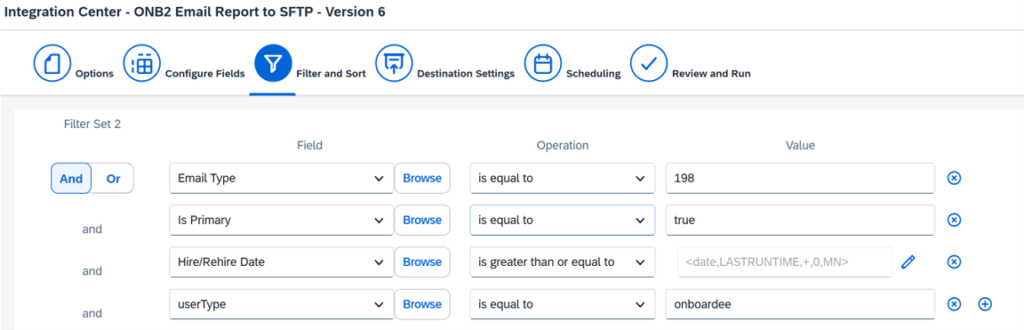
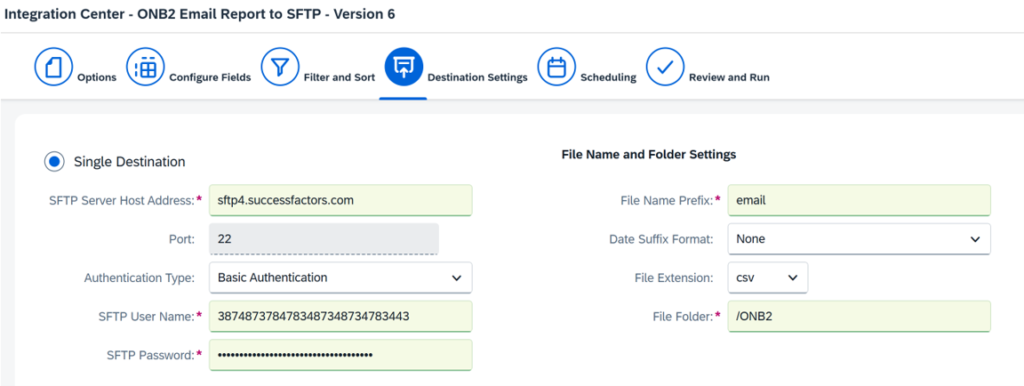
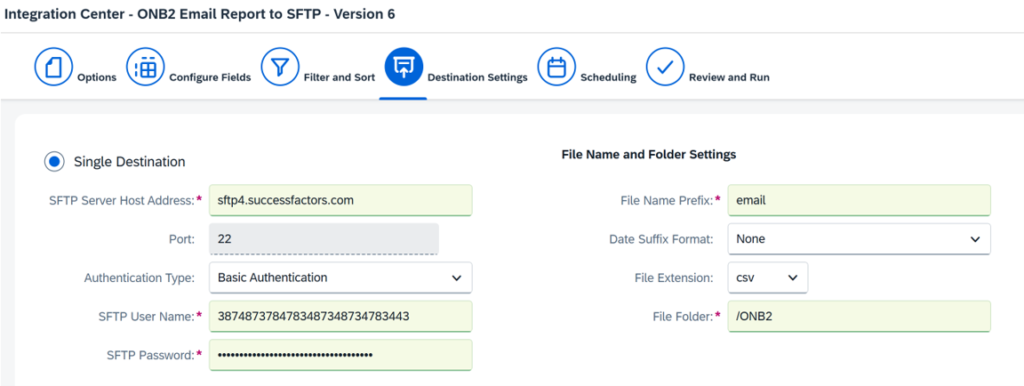
Step 2 — Build Integration Center Job and send the data to SFTP
The purpose of this Integration Center job is to select all eligible onboarding candidates whose email records require primary flag correction on Day 1. The job identifies records where the business email exists but is not yet marked as primary.
Admin Center → Integration Center
Recommended type: Create New Scheduled CSV File Output Integration
Source object: Email Information (PerEmail)
Scheduling: Daily at 12 AM (or as per your requirement)
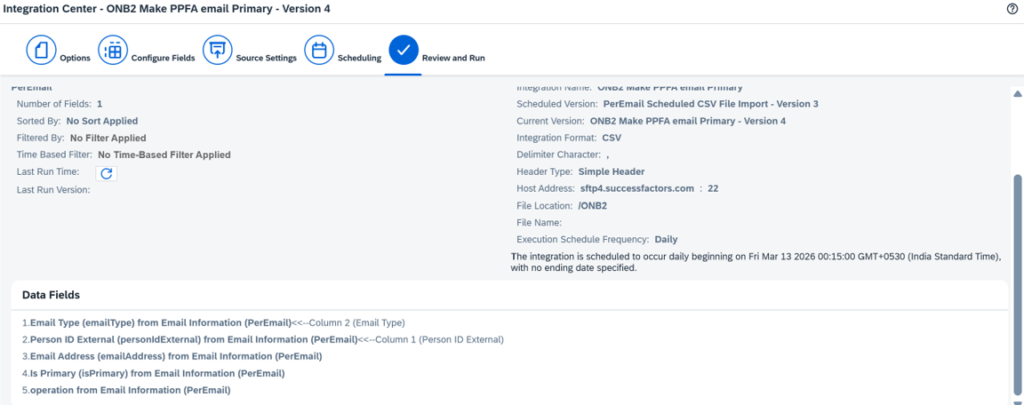
Step 3 — Build Integration Center Job to read the CSV report from previous IC job
Admin Center → Integration Center
Recommended type: Scheduled CSV Input Integration
Source object: Email Information (PerEmail)
Scheduling: Daily at 12:30 AM (or as per your requirement)
Map personal ID external and Email type from the csv file to the perEmail entity. And schedule the job to run after the previous job
Validation Steps
Employee Files → Contact Information
Check: Business Email shows primary and personal email shows as non primary